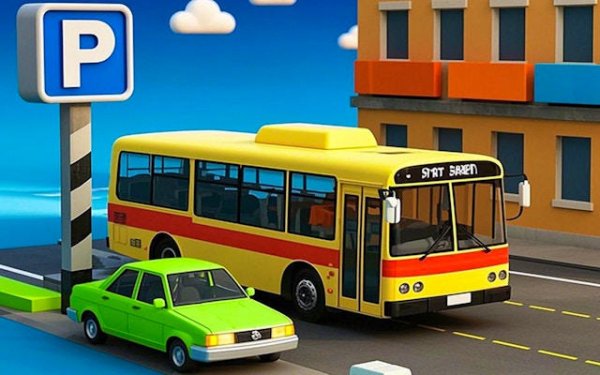
Bus Parking Training Simulator
Reviews
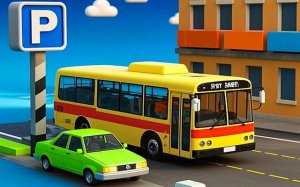
Bus Parking Training Simulator offers a thorough and engaging way to practice parking a full-sized bus. The realistic 3D environments and detailed bus models create an immersive experience. With over 100 levels that gradually increase in difficulty, players can steadily improve their spatial awareness and vehicle control. The intuitive keyboard controls and adjustable camera angles make it accessible for beginners while still challenging for experienced drivers.
About This Game
Game Introduction
Bus Parking Training Simulator places you in control of a full-sized bus within a detailed three-dimensional environment. The core objective is to park the vehicle accurately in designated spots across a variety of scenarios. Levels range from straightforward straight-line parking to more demanding multi-point reverse maneuvers. This game is designed to help players develop practical driving precision and spatial awareness. Each level presents a unique parking puzzle that requires careful planning and smooth control. The progressive difficulty structure makes it suitable for both newcomers and those with driving experience. The immersive surroundings and realistic bus models create an engaging learning experience for anyone interested in improving their parking techniques.
How to Play
Players typically use keyboard inputs to control the bus. Common controls include acceleration, braking, steering, and gear shifting between forward and reverse. A camera angle adjustment feature helps players view the bus from different perspectives for better spatial awareness. An optional guiding arrow can be toggled on or off to assist with alignment. The main goal is to park the bus within the marked area while avoiding obstacles and staying within a time limit. Precision and patience are essential, especially in tighter spaces.
Game Features
Realistic 3D environments with detailed bus models and parking lots. Over 100 levels with increasing difficulty, from basic to advanced parking scenarios. Progressive skill development that builds spatial awareness and vehicle control. Intuitive keyboard controls for acceleration, braking, steering, gear shifting, and camera adjustment. Practical learning value for real-world driving safety and parking techniques.
Tips for Success
Practice regularly to improve your spatial awareness and control. Start with easier levels to master basic maneuvers before attempting complex ones. Use the guiding arrow to help align correctly, but try to rely less on it as you improve. Take your time—rushing often leads to mistakes. Adjust the camera angle to get the best view of your surroundings, especially in tight spots.