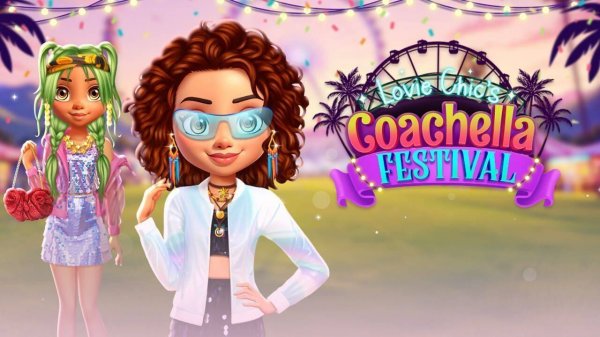
Festival Style Studio stands out as a gentle, pressure-free creative tool. Its strength lies in the sheer variety of clothing combinations possible, allowing players to explore different aesthetics at their own pace. The interface is clean and intuitive, making it accessible even for young children. While it lacks narrative depth or challenges, its focus on pure creativity and relaxation makes it a wonderful choice for anyone seeking a calm, artistic pastime.
Creative Wardrobe Exploration
Players begin by selecting a character and browsing through organized clothing categories. The collection includes tops, bottoms, dresses, footwear, and accessories like hats, sunglasses, and jewelry. Each item can be tried on instantly, allowing for quick comparisons and endless combinations. The focus remains on personal expression rather than competition, making it a relaxing activity for anyone interested in fashion.
Building Your Festival Look
The game encourages users to imagine their character attending a lively outdoor event. Outfits can range from casual and comfortable to bold and colorful. There are no right or wrong choices, which gives players the freedom to experiment with different patterns, textures, and layers. This open-ended approach helps develop a sense of personal style over time.
Simple Controls for All Ages
Navigation is straightforward, with large buttons and clear labels that make it easy for younger players to participate. The tap-to-select mechanic works smoothly, and there are no time limits or scoring systems. This design ensures that the experience stays positive and stress-free, suitable for quick play sessions or longer creative periods.
Saving and Sharing Creations
Once an outfit is complete, players can save it to a personal gallery. This collection of saved looks can be revisited later for inspiration or to compare different styles. While the game does not include social sharing features, the gallery provides a private space to appreciate one's own creativity and track how preferences evolve.
✅ Compatibility & Testing
• Desktop (Windows 11, macOS Ventura)
• Mobile (iPhone 14, Samsung Galaxy S23)
• Tablet (iPad Pro, Android tablet)
✅Supported browsers: Chrome, Safari, Edge, Firefox (latest versions)
❌ Not supported: Internet Explorer, older browser versions





Comments
0 comments